Quick Reference
- After creating multiple states for KCWI, take some time to verify that they look correct, including
the detector configuration sub-menu (little camera icon).
- States that are modified after taking calibrations WILL require a new set of calibrations.
The Calibration GUI is opened automatically on control0 during the KCWI Observer Software Startup.
If the GUI needs to be reopened, right-click on the blue VNC background, go to "KCWI Individual GUIs" -> "Calibration GUI".
The GUI looks like this:
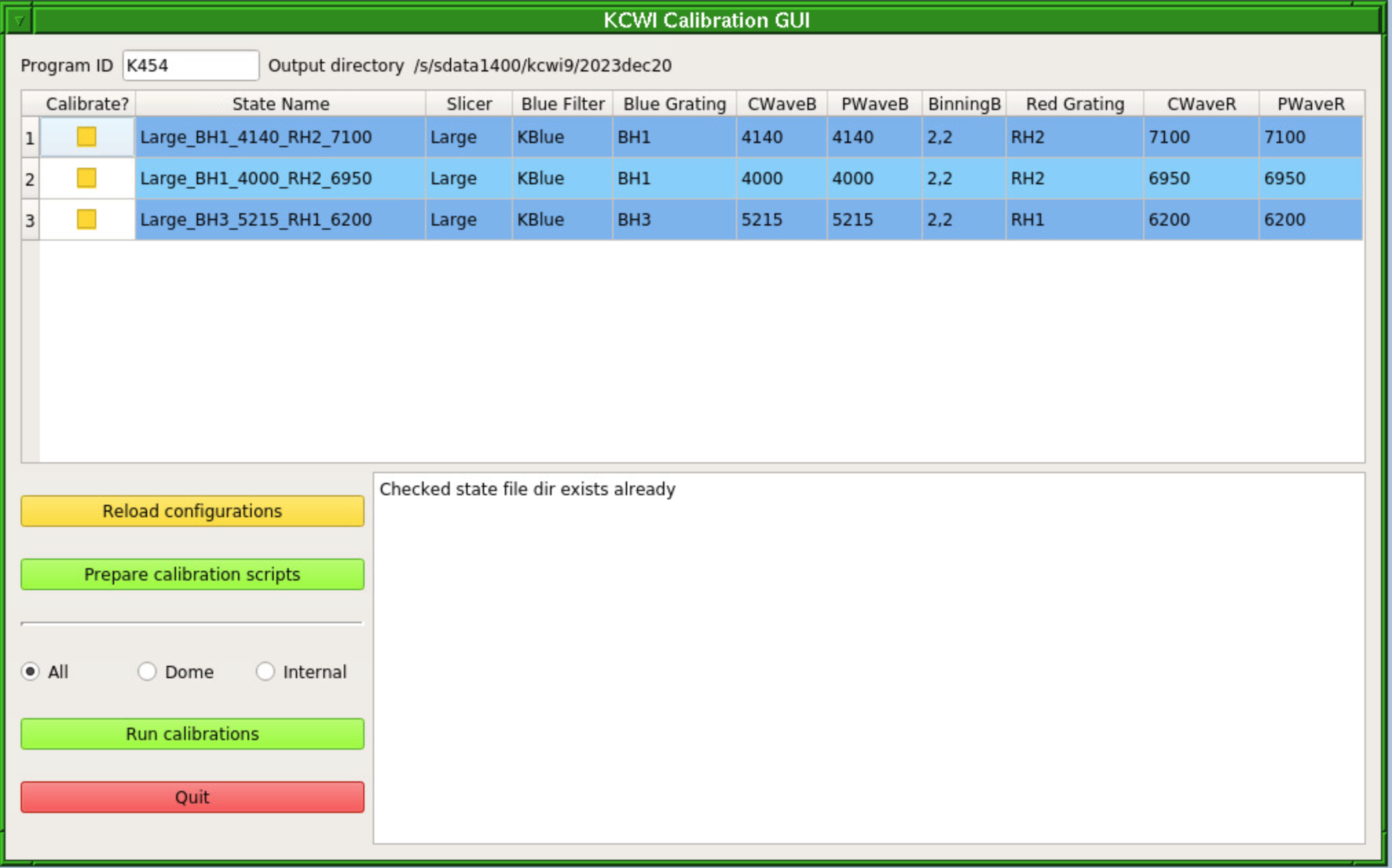
- Enter the name of your program in the Program ID box.
- Click the check boxes next to the configuration(s) that you want to calibrate.
- Click "Prepare calibration scripts".
- This will save
.state files for each configuration to the current outdir.
- Then it will generate
.csh scripts to iterate over and execute cals for each state in the three modes (see below).
- Finally, it will generate
.cal files for each state.
- If you wish to take a different number of calibration frames, change exposure times, or otherwise customize your calibrations, you can edit the relevant
.cal files.
- Note that clicking "Prepare calibration scripts" again will overwrite old files, so if you have made edits to your
.cal files, you will need to make the changes again.
- Select the calibration mode:
- All if the telescope is released. This will take Internals (biases, continuum bars, arcs, and continuum flats) as well as Dome Flats.
- Internal if you don't have access to the telescope. This will take biases, continuum bars, arcs, and continuum flats.
- Dome if you are taking dome flats only after the telescope has been released.
- Click "Run cals". This will execute the relevant
.csh file generated in the "Prepare calibration scripts" step.
If the Calibration GUI crashes when you select your program, the most likely problem is that one of your states is missing keywords. A quick fix is to go back to the configuration manager (the web page), edit the state and click on Default Cal Unit and Default Detector, and Update. Also make sure your State Name doesn't have spaces; dashes and underscores are fine.
If it still doesn't work, ask for help from your SA but remember that the manual version still works.